 Switch
How a message travels: follow one ping through a router, a switch and a PC
No experience needed. Build a tiny network in Cisco Modeling Labs, send one ping, and watch two tables fill in, with real screenshots and every short word spelled out.

When a customer says "the internet is slow", the cause is almost always somewhere on a very short journey: a message leaves a device, crosses a switch, reaches a router, and a reply comes back. Understand that one journey and most of networking is just detail.
So we follow the smallest message there is: a ping. I build a tiny network in Cisco Modeling Labs (CML), Cisco's network simulator, and show every step with screenshots from my own lab. No experience needed.
Time: about 40 minutes. Cost: nothing beyond CML.
The words, spelled out
Networking is full of short words. Here is what each one stands for and what it does. Come back to this table whenever a word loses you.
| Short word | Stands for | What it does |
|---|---|---|
| IP address | Internet Protocol address | A device's postal address on the network, like 192.168.1.10. |
| MAC address | Media Access Control address | A device's name tag, burned into its network card, like 0050.7966.6801. |
| ARP | Address Resolution Protocol | Asks "who has this IP address? Tell me your MAC address." |
| CDP | Cisco Discovery Protocol | Cisco devices introduce themselves to whatever is plugged into them. |
| Ping | (a sonar sound, not a short form) | A tiny test message: "are you there?" and the reply "yes". It uses ICMP, the Internet Control Message Protocol. |
| Switch | Connects devices inside one network, using MAC addresses. | |
| Router | Connects different networks together, using IP addresses. |
The plan
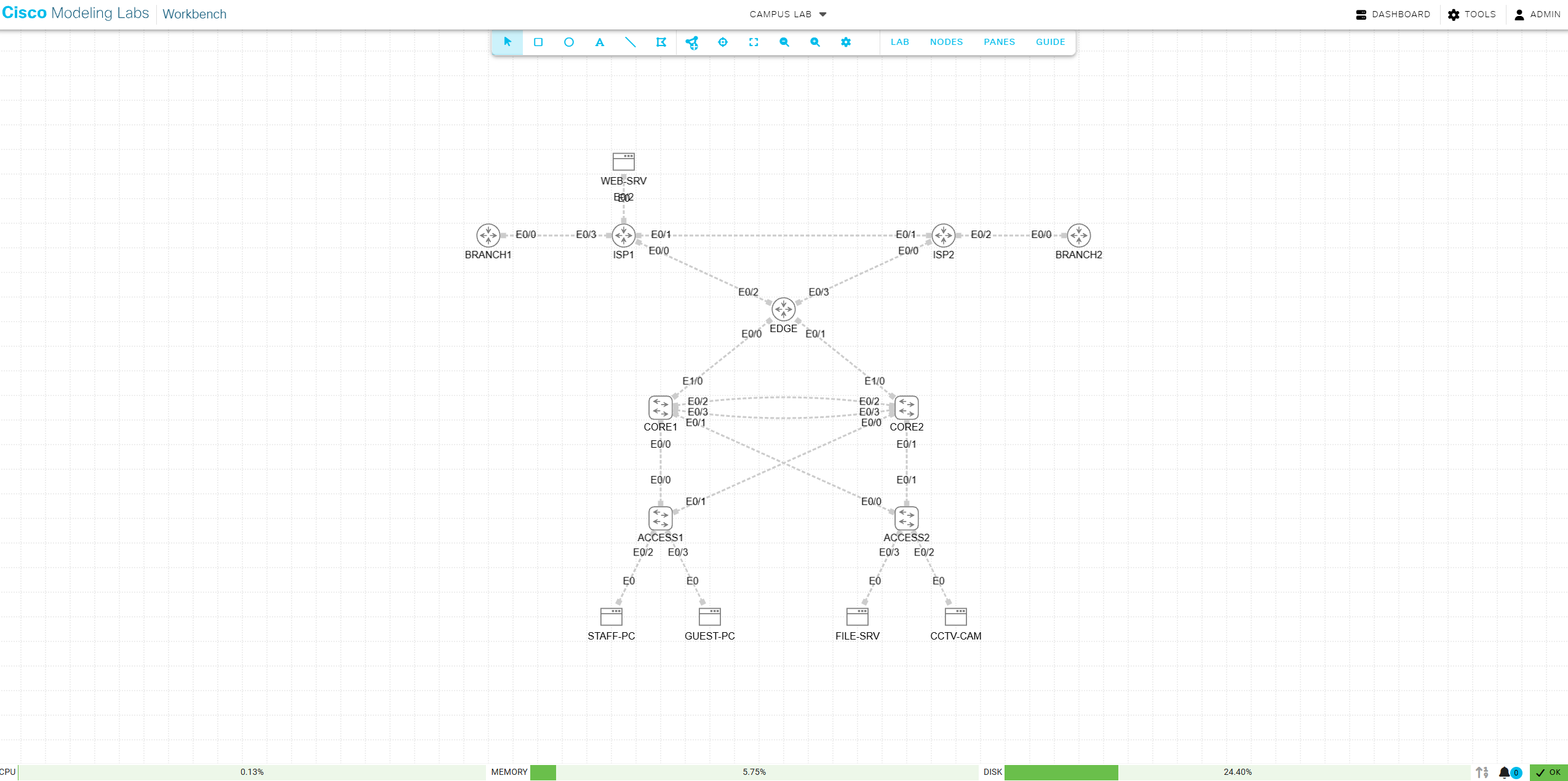
One small network, 192.168.1.0/24, with two addresses. (The "/24" is just a short way of writing the mask 255.255.255.0.)
| Device | Role | Address |
|---|---|---|
| EDGE | Router | 192.168.1.1/24 |
| CORE1 and ACCESS1 | Switches | none needed |
| STAFF-PC | Computer (Alpine Linux) | 192.168.1.10/24 |
1Meet the devices
Ask each switch who it is plugged into. This uses CDP, from the table above.
ACCESS1# show cdp neighbors
CORE1# show cdp neighbors
What to look for: ACCESS1 lists CORE1, and CORE1 lists ACCESS1. EDGE lists nothing yet, because its port is still switched off.
2Give the router and the computer an address
On the router, the no shutdown line switches the port on.
EDGE# configure terminal
EDGE(config)# interface Ethernet0/0
EDGE(config-if)# ip address 192.168.1.1 255.255.255.0
EDGE(config-if)# no shutdown
EDGE(config-if)# end
On the computer, commands that change something need sudo in front:
STAFF-PC# sudo ip addr add 192.168.1.10/24 dev eth0
STAFF-PC# sudo ip link set eth0 up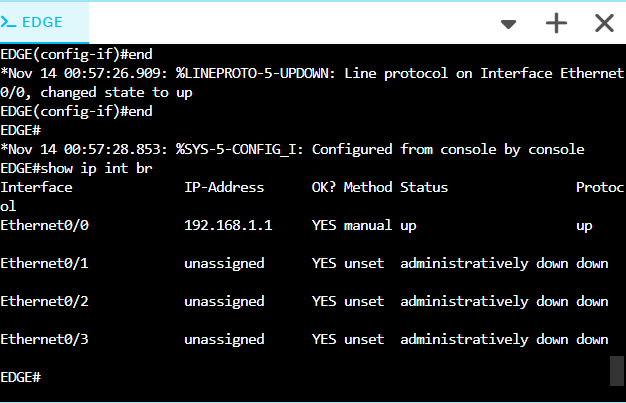
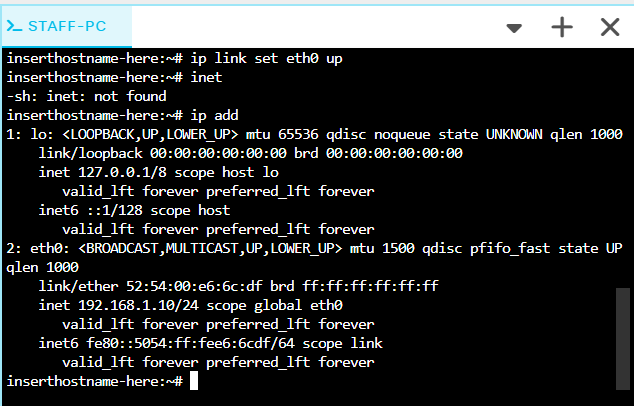
What to look for: EDGE's Ethernet0/0 shows 192.168.1.1 and *up / up*. The computer shows inet 192.168.1.10/24.
3Ping, and watch the tables fill in
First look at the three tables. Then ping. Then look again.
STAFF-PC# ip neigh
EDGE# show ip arp
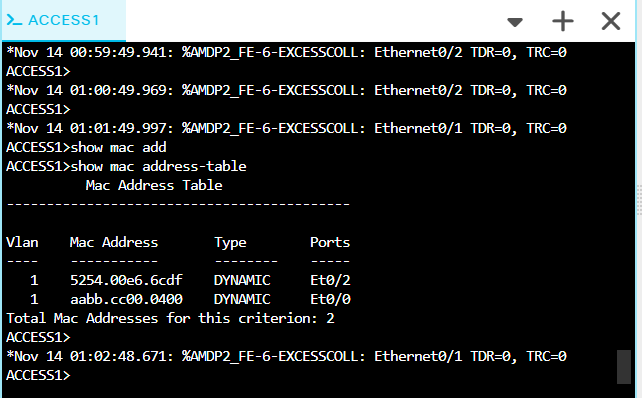
ACCESS1# show mac address-table dynamic

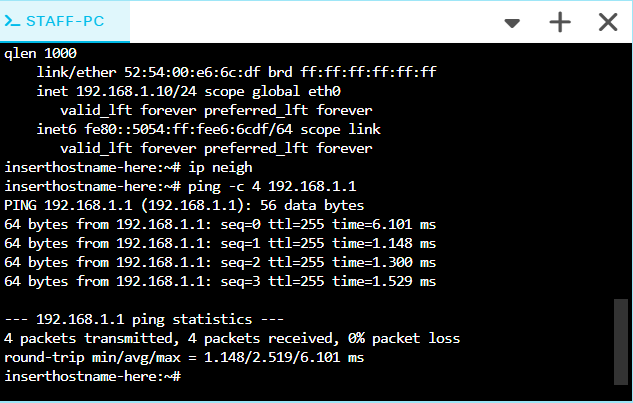
STAFF-PC# ping -c 4 192.168.1.1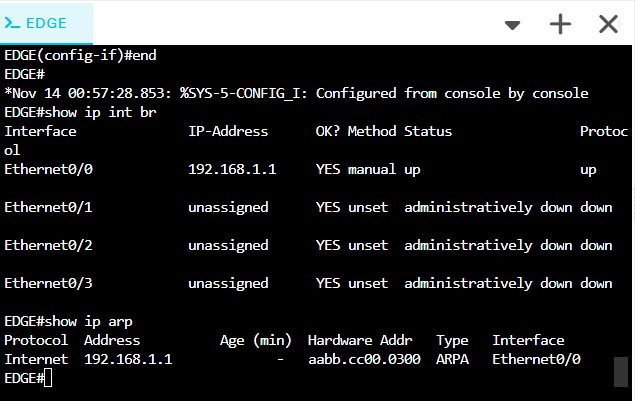
Now run the table commands again, plus show mac address-table dynamic on CORE1.

What to look for: four replies. The first was slower (6 ms against about 1 to 1.5 ms), because the computer had to ask for the router's MAC address first. That question is ARP. Afterwards:
- The computer's ARP table holds the router's IP address and MAC address, and EDGE's holds the computer's.
- Each switch learned each MAC address on the port it arrived from.
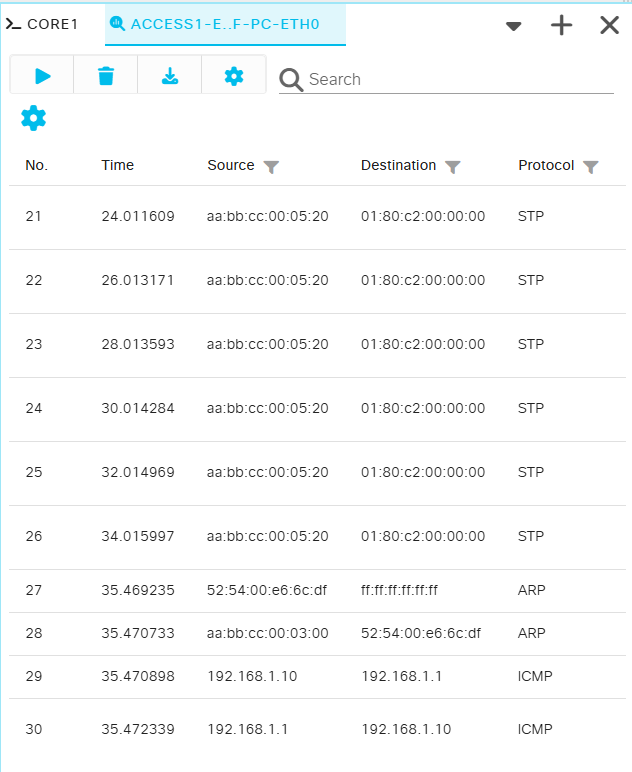
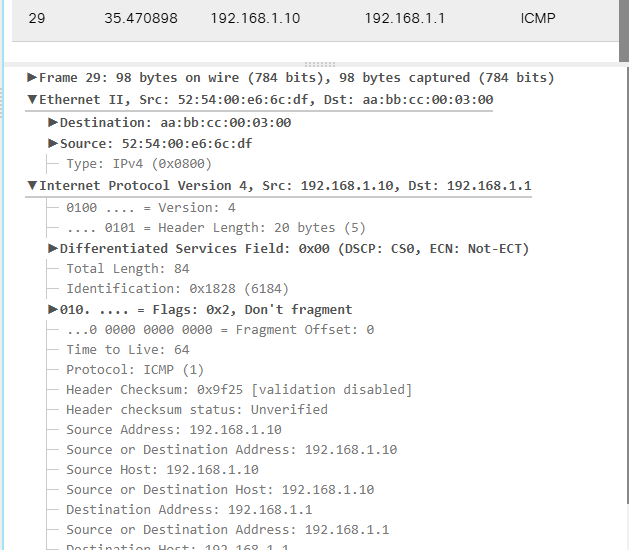
Bonus: watch it on the wire. CML can capture packets on a link. I captured the link between ACCESS1 and STAFF-PC and pinged again. The capture shows the whole story in order: an ARP question sent to everyone (destination ff:ff:ff:ff:ff:ff), the ARP answer, then the ICMP ping and its reply.
4Break it on purpose
A good lab ends with you breaking things. Do these one at a time, then put each one right again.
Fault 1: pull a cable. Switch off ACCESS1's link to CORE1 and ping again.
ACCESS1(config)# interface Ethernet0/0
ACCESS1(config-if)# shutdown
STAFF-PC# ping -c 2 192.168.1.1
ACCESS1(config-if)# no shutdown
Fault 2: a wrong address on the computer. Give it 192.168.2.10 and ping again. Then change it back to 192.168.1.10.
STAFF-PC# sudo ip addr flush dev eth0
STAFF-PC# sudo ip addr add 192.168.2.10/24 dev eth0
STAFF-PC# ping -c 2 192.168.1.1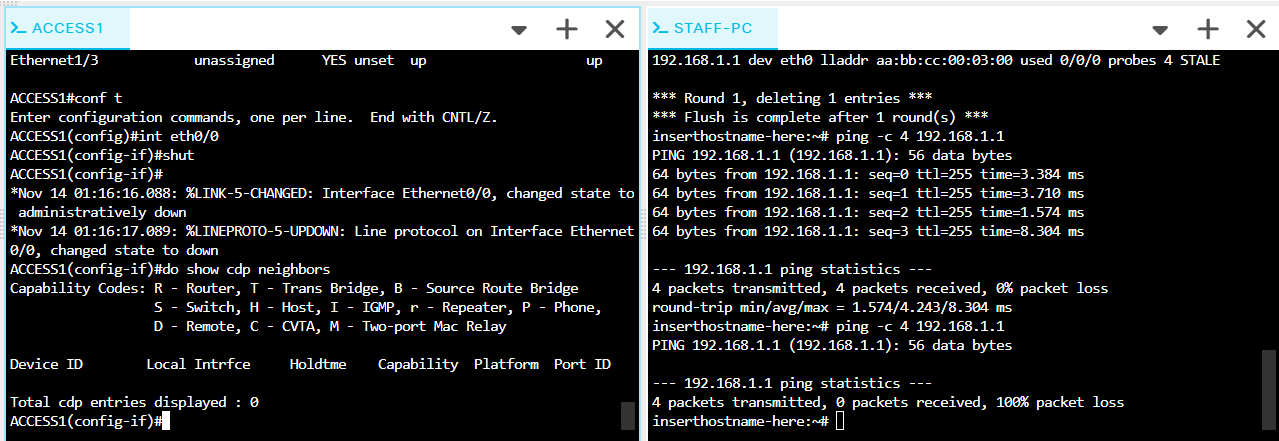
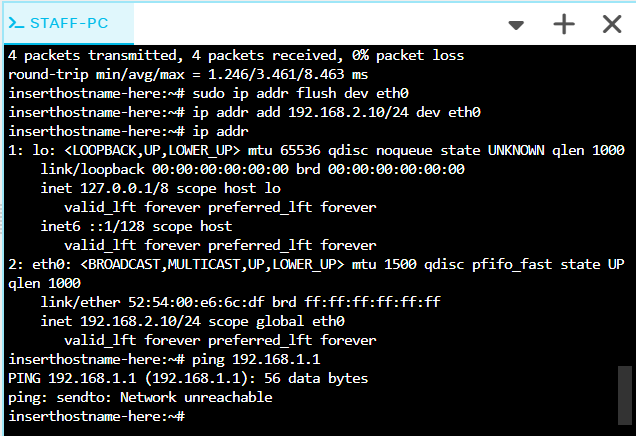
What they teach: a failed ping looks the same for many different faults. Fault 1 is on the cable. In fault 2 the computer thinks the router is on another network and has no gateway to send it to, so it does not even try. Work from the bottom up: cable and port first, then addresses.
5Save your work
EDGE# copy running-config startup-configOnly EDGE changed, so only EDGE needs saving.
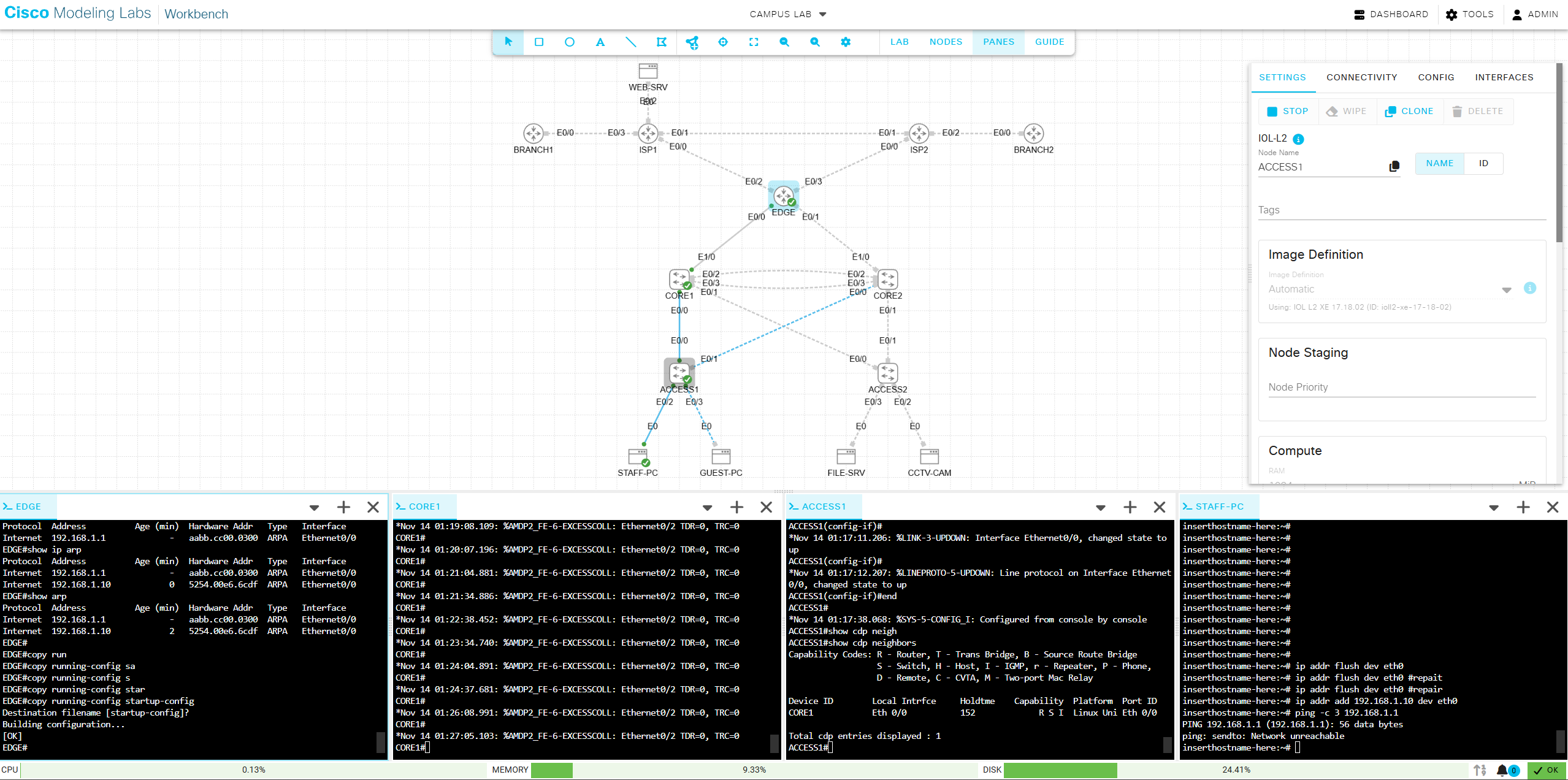
What went wrong for me
I made plenty of small mistakes. Each one cost a minute, and each one taught me something.
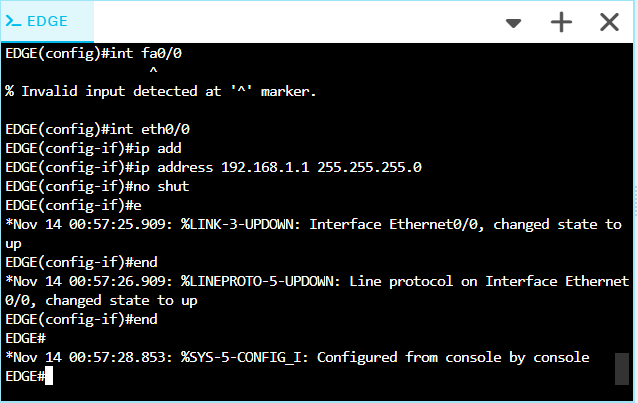
1. Wrong port name. I typed int fa0/0 on the router and got Invalid input detected. These routers have Ethernet ports, not FastEthernet, so the name is Ethernet0/0. Read the port names from the show ip interface brief list.
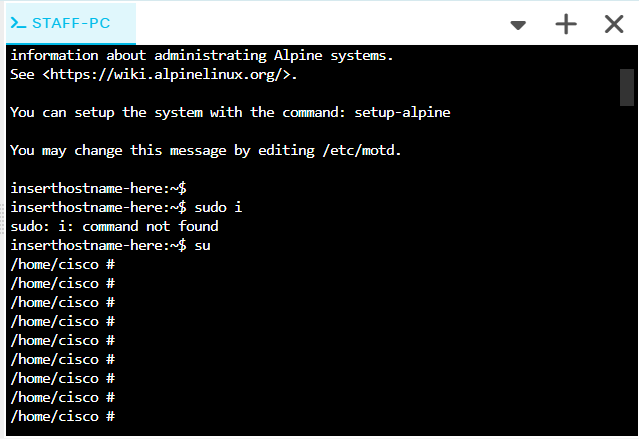
2. A typo in sudo. I typed sudo i instead of sudo -i, and Alpine answered command not found. The dash matters.
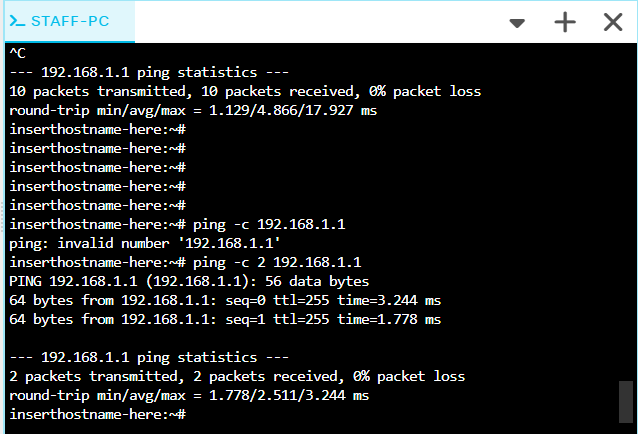
3. Forgetting the number after -c. ping -c 192.168.1.1 fails with invalid number. The -c option needs a count, so write ping -c 4 192.168.1.1.
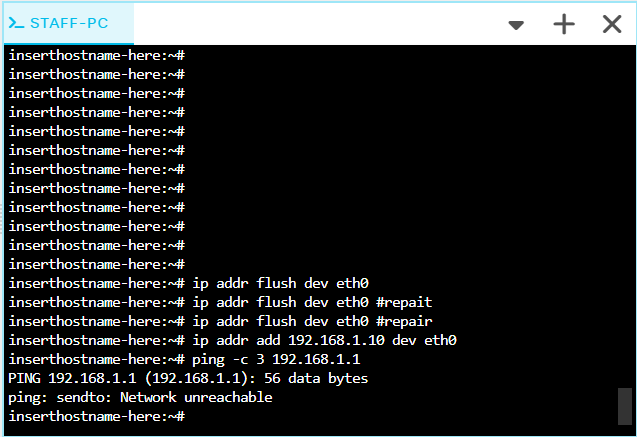
4. Leaving off the mask. When I put the right address back after fault 2, I typed ip addr add 192.168.1.10 without /24. Without a mask the computer treats the address as a single device (a /32), so it has no network to send the ping into, and it said Network unreachable. The fix was to add /24.
Cheat sheet
| What you want to know | On a Cisco device | On an Alpine computer |
|---|---|---|
| Who am I plugged into? | show cdp neighbors | n/a |
| Is the port up? | show ip interface brief | ip link show eth0 |
| Whose MAC address do I know? | show ip arp | ip neigh |
| Which port holds that MAC? | show mac address-table dynamic | n/a |
| Can I reach it? | ping 192.168.1.1 | ping -c 4 192.168.1.1 |
Check you understood
- What does CDP stand for, and what is it for?
- Which table links an IP address to a MAC address, and which links a MAC address to a port?
- A computer says "Network is unreachable". What is the first thing you check?
Want this done properly for your business?
If your network is slow or unreliable, I can find out why, fix it and write down what I changed. See my services, or message me for a quote. Prices are shown up front and agreed before any work starts.
Keep reading
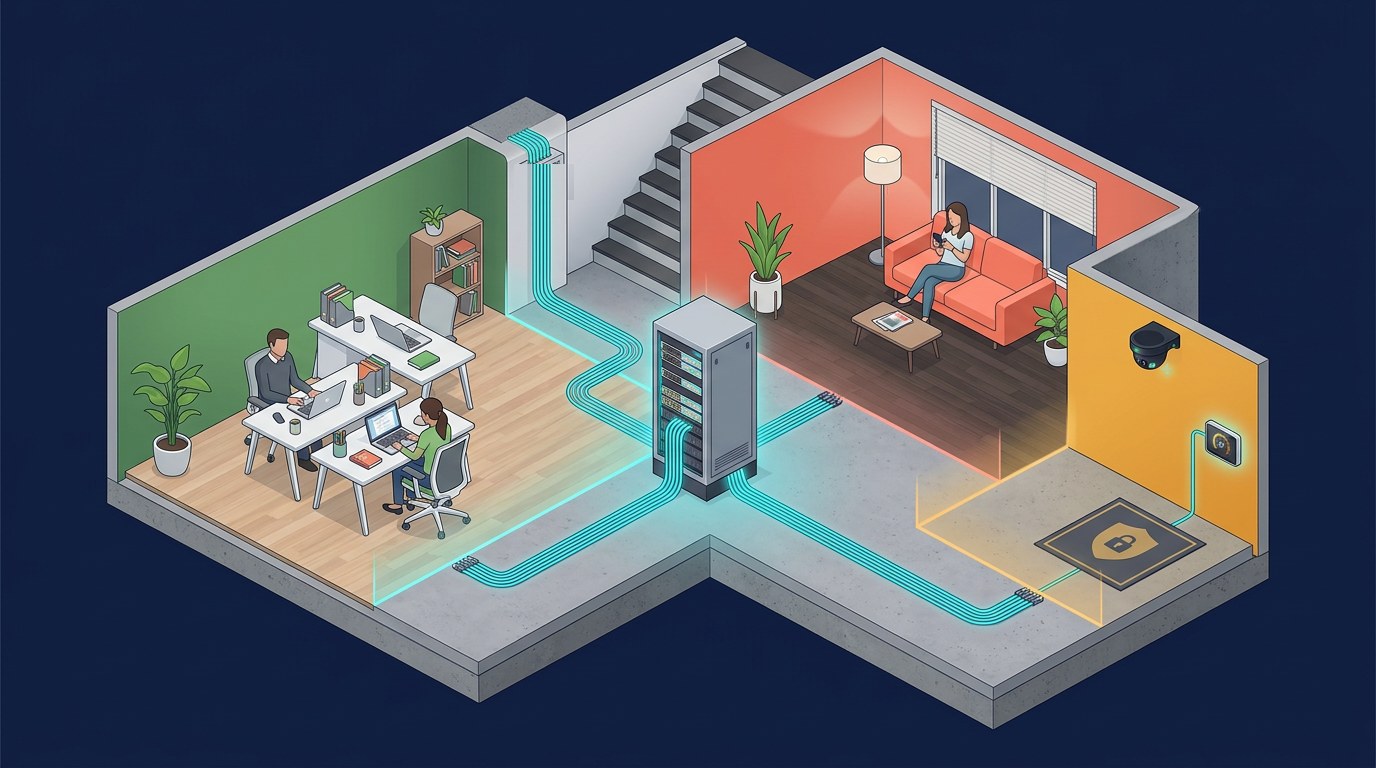
VLANs for beginners: build a safe small-office network, step by step
No experience needed. Split one network into separate staff, guest and CCTV networks in Cisco Modeling Labs, with real screenshots of every step and a plain-English explanation of what each one means.
VLANs in practice: trunks, inter-VLAN routing and the mistakes that break them
A two-switch VLAN lab built the way a small business would run it: hardened trunk and access ports, SVI routing, DHCP, a guest ACL, spanning-tree roots, and a fault I broke on purpose and fixed, with the real CLI output.
Need a hand with your network?
Message me with the problem and some times that suit you. You get the price in writing before I start.